How to Sign Up for a Drop-In Class
Ready to dance without the commitment? Follow these quick steps to register, pay, and join any Feel the Beat class that fits your schedule.

Visit Our Class Schedule
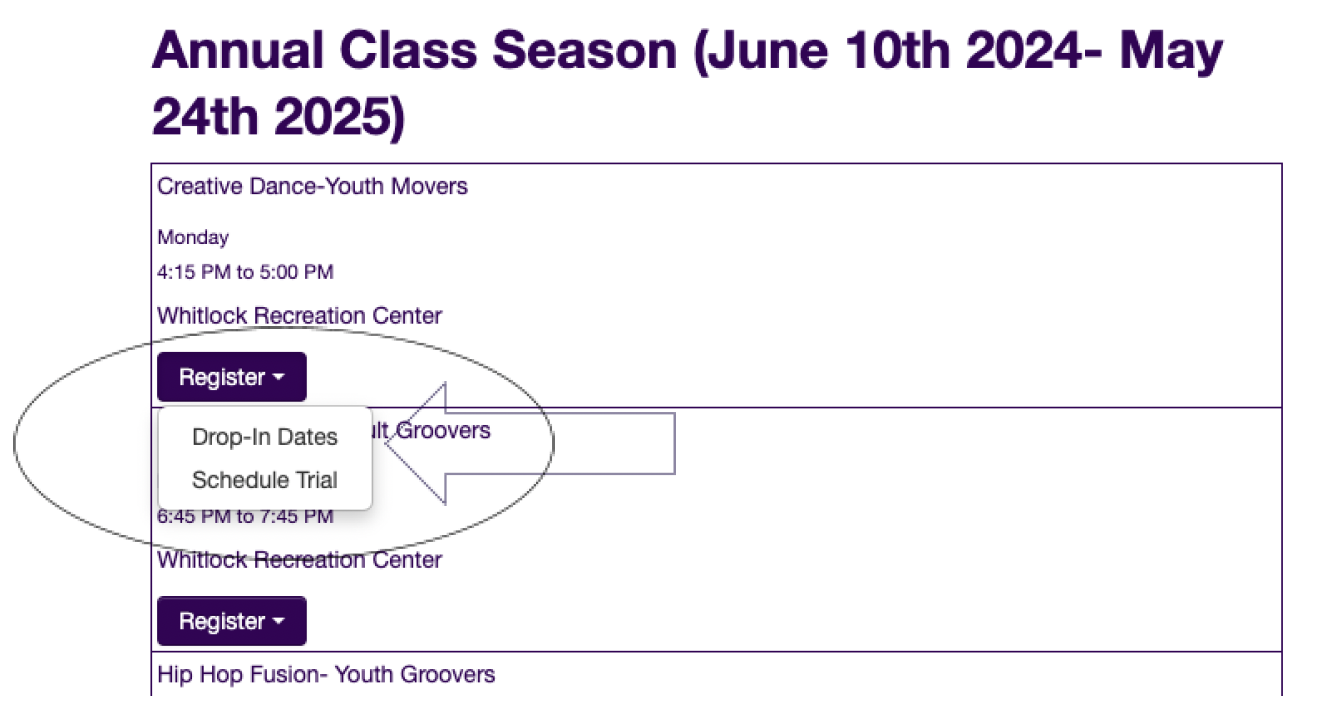
Go to the Class Schedule page and find the class you’d like to attend.
2. Register
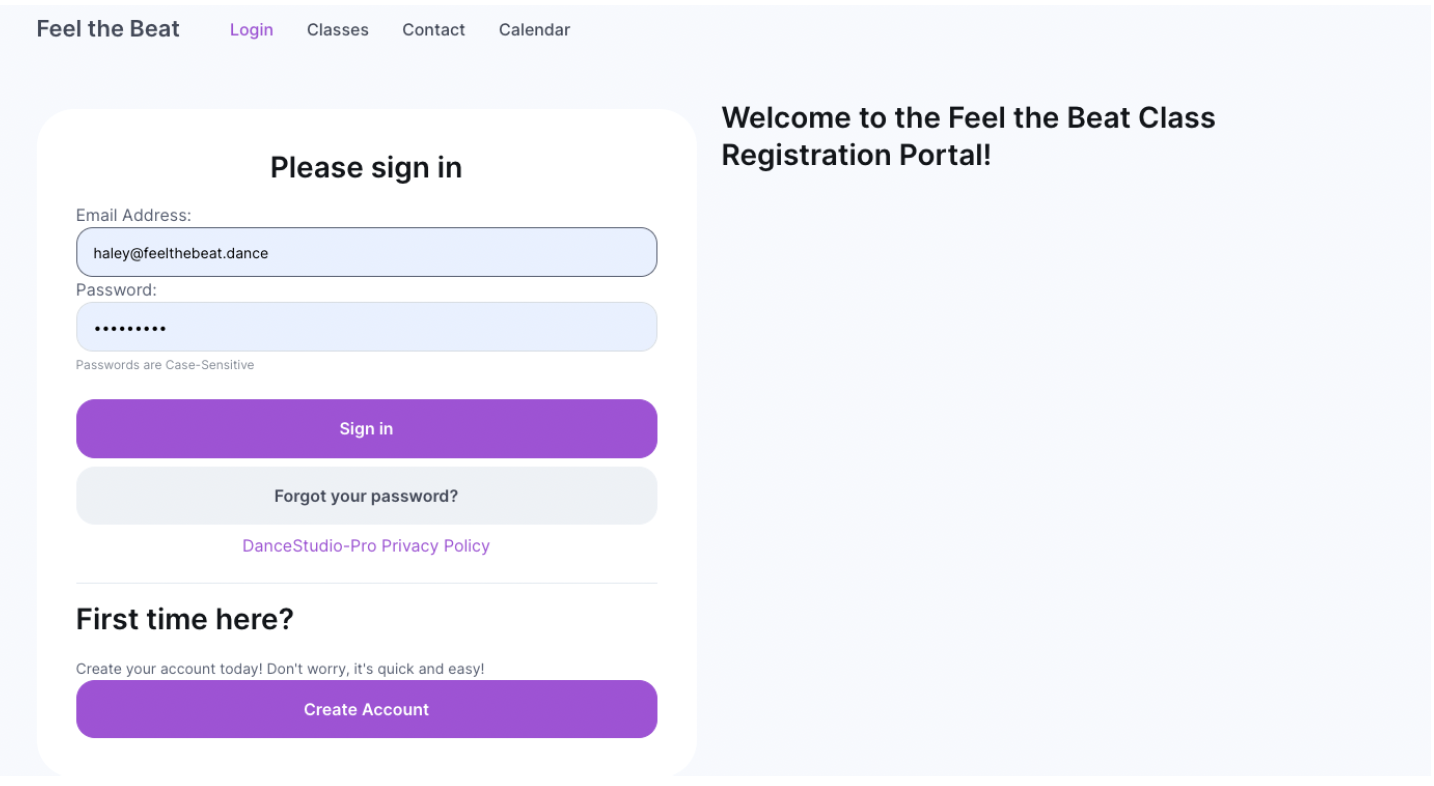
Click “Register” and then select “Drop-In Dates”. This will take you to your portal page. If you have not created a portal yet, you will select “Create Account” under “First Time Here?” If you have already created an account, sign in.
3. Select “Drop-In” Dates
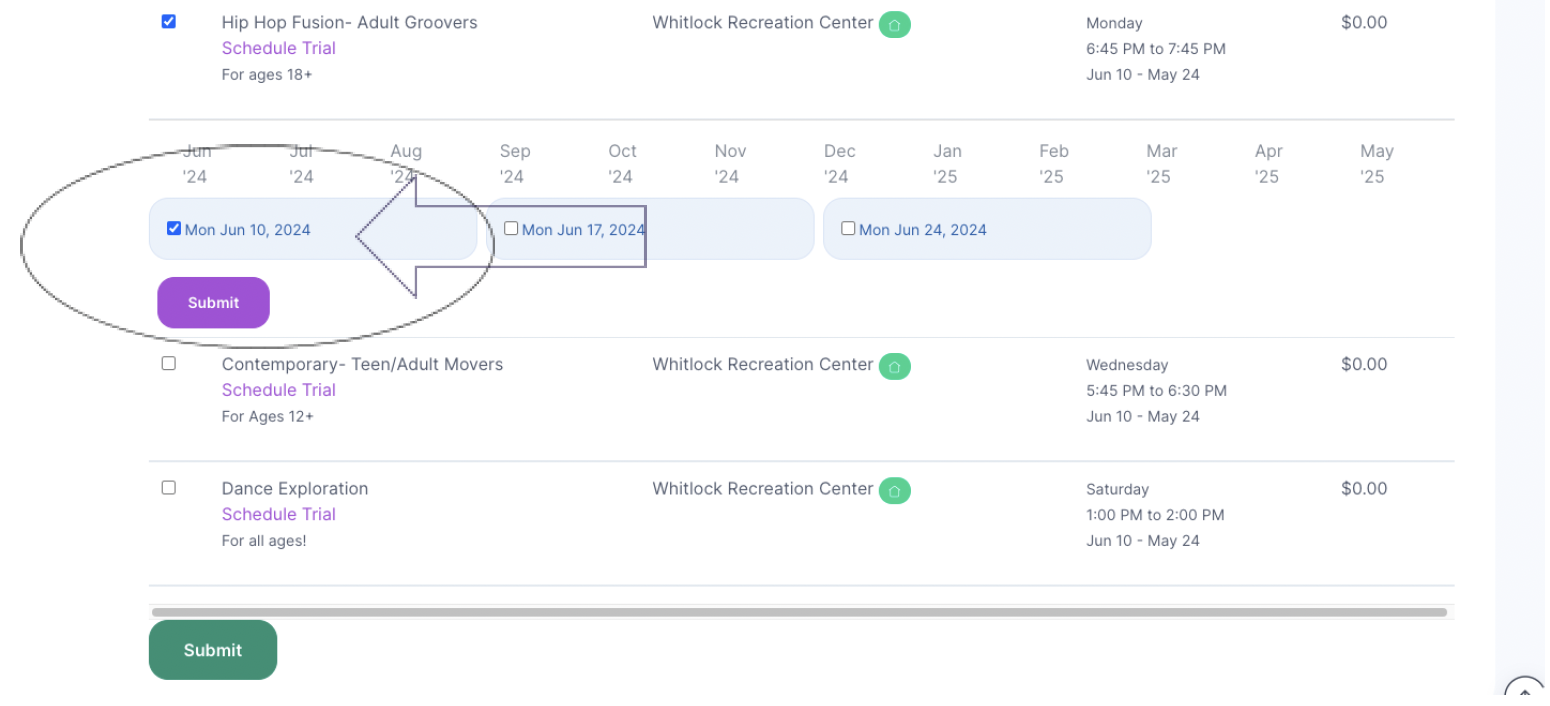
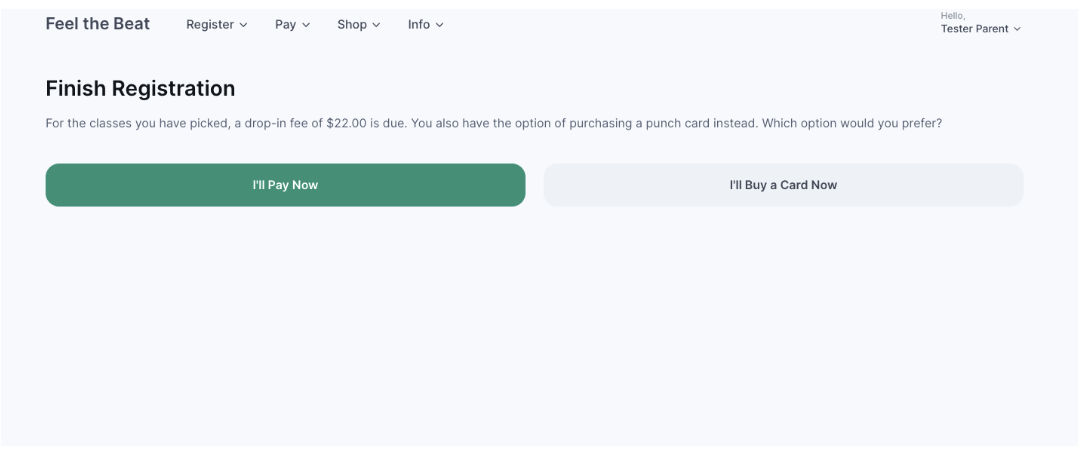
Select the date(s) you would like to drop-in for and then select “Submit”. This will take you to the Finish Registration page. If you would like to drop-in at our standard class rate, select “I’ll Pay Now”. If you would like to buy a punch card for our discounted class rates or use a punch card you already have, select the right option.
4. Complete Payment
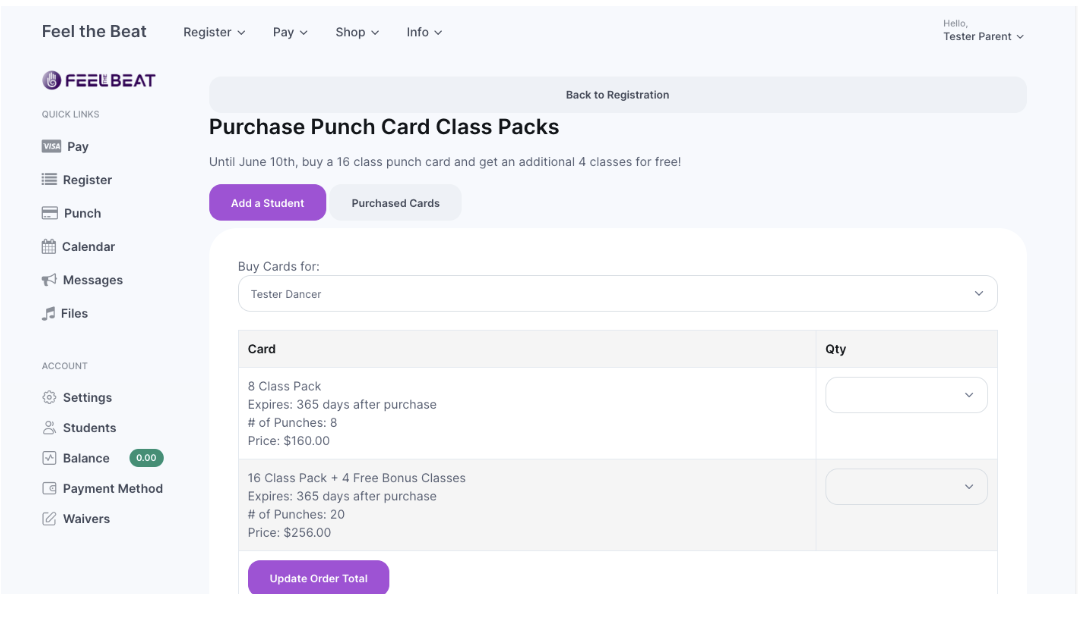
When buying a new punch card for class, the portal will redirect you to our Punch Card Class Pack page. Select your choice and proceed to pay. Then you’re all set!
Additional Resources for Registering